
A resource is an upstream API protected by edge. Registering it tells edge where to
forward traffic, who may call it, and what must be true for each individual endpoint. For
the conceptual picture, see Entities.
Before you start
Have these ready:
- The absolute URI of the upstream API.
- The clients that will call it — they must already be registered (How to register a client).
- The list of endpoints (method + path) you want to expose.
- A decision on whether the resource is internal or public (see step 3).
1. Open the Resources screen
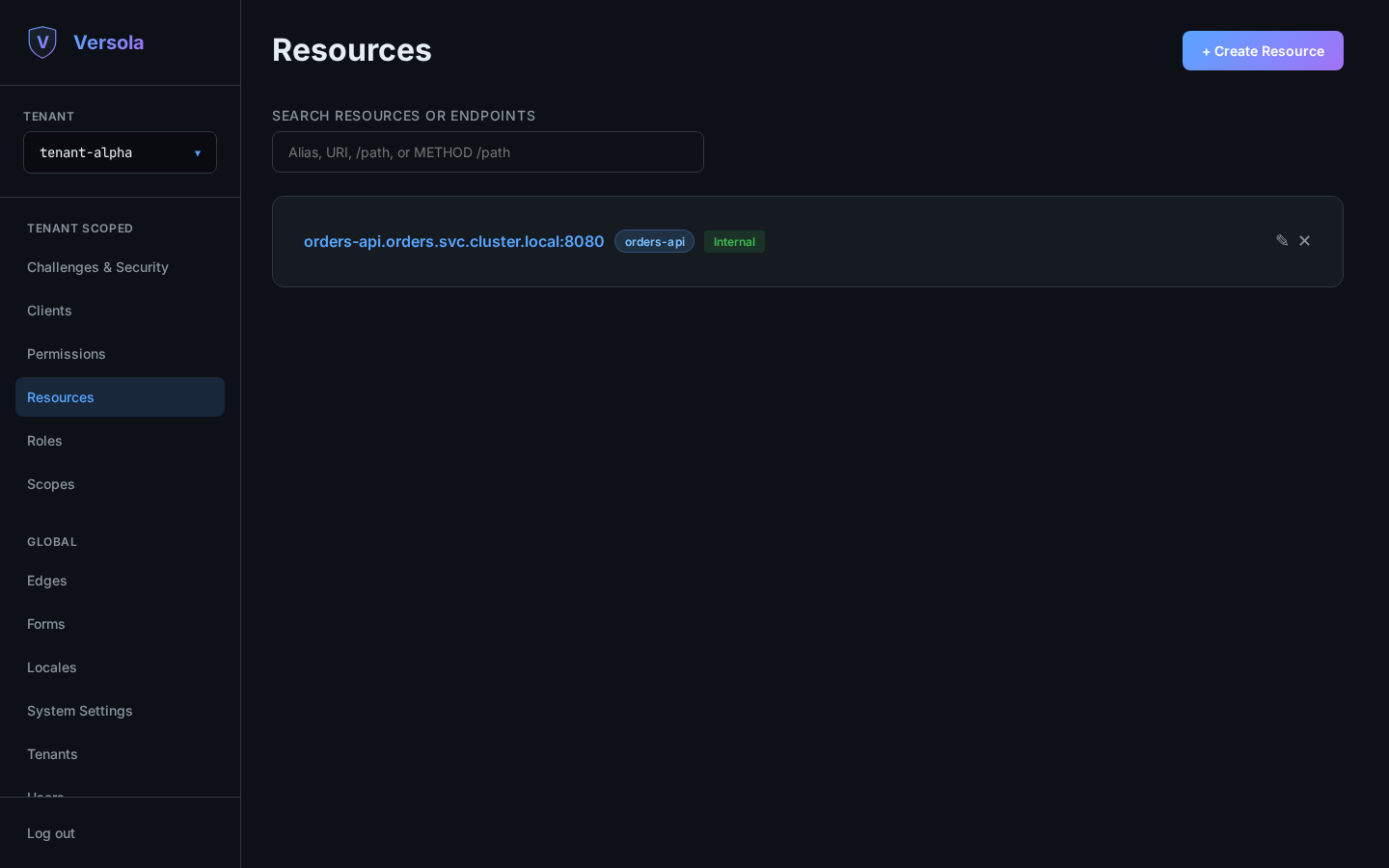
Select the tenant, then open Resources. Each card shows the resource URI, its resource ID, and badges for Internal and Secret Rotation.
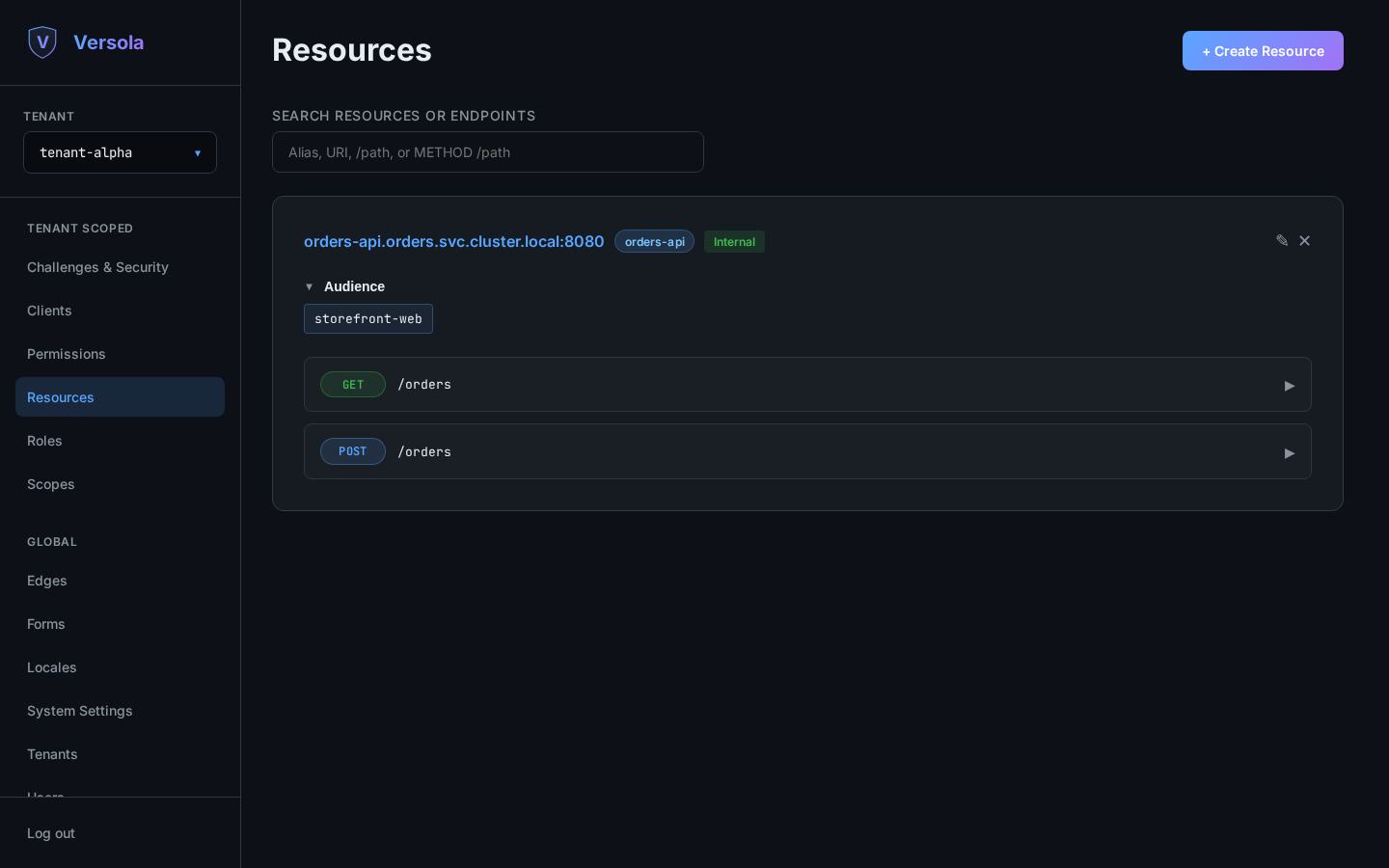
Clicking a card expands it to show the audience and the registered endpoints.
2. Start a new resource
Press + Create Resource.
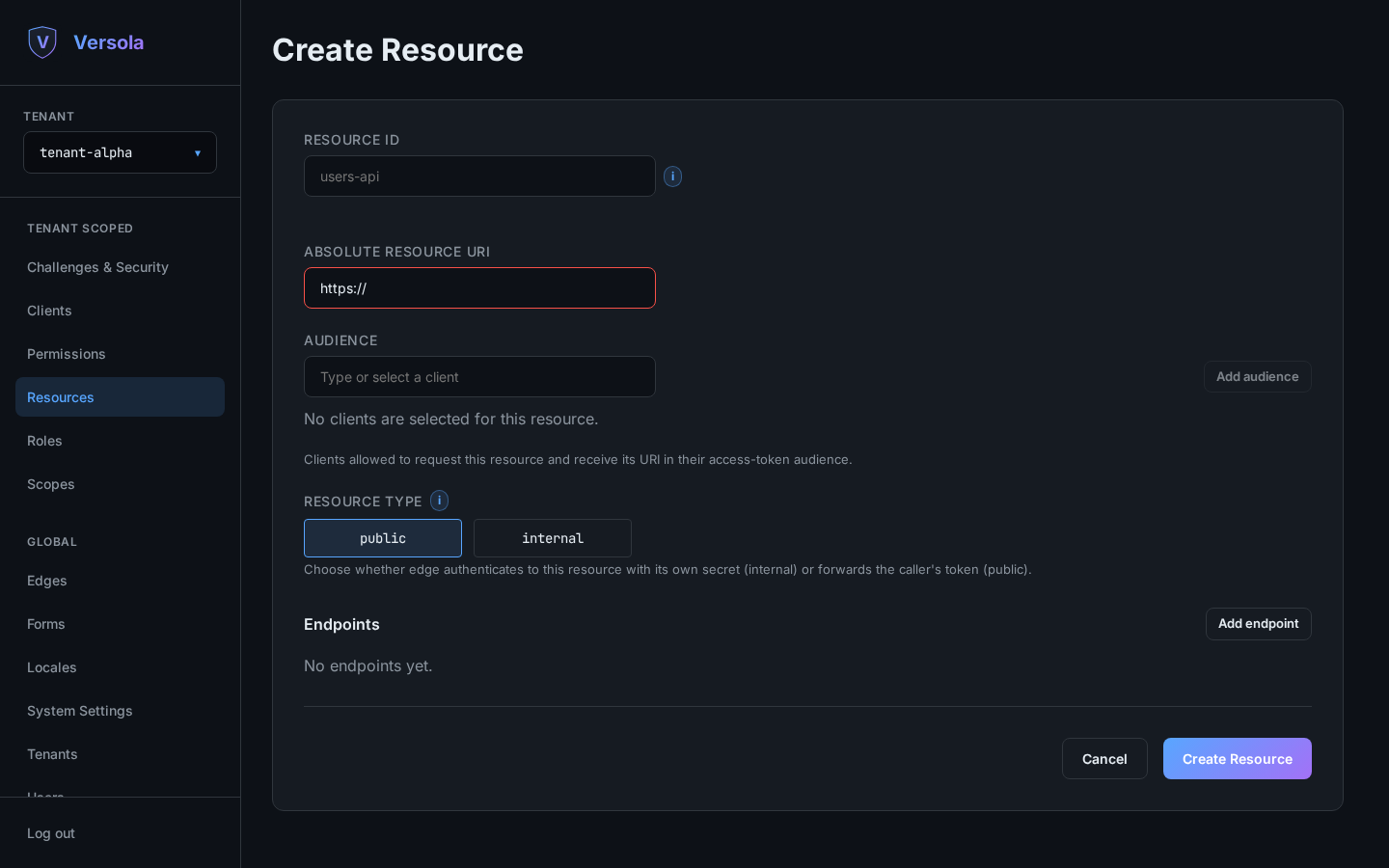
3. Fill in identity, audience and type
Resource ID — lowercase letters, digits and hyphens, starting with a letter. It becomes
part of the proxy path: edge forwards /resources/{resourceId}/* to the resource URI. It
is immutable after creation, and the value edge is reserved.
Absolute resource URI — an absolute URI with an empty path, no query and no fragment,
for example http://invoices-api.billing.svc.cluster.local:8080 for a service reachable
inside the cluster, or https://invoices.example.com for one exposed externally. The
resource:// scheme is reserved.
Audience — the clients allowed to request this resource. Start typing a client ID,
pick it from the suggestions, and press Add audience. A client that is not listed here
cannot obtain a token targeting this resource, and auth rejects the request at
/authorize or /token.
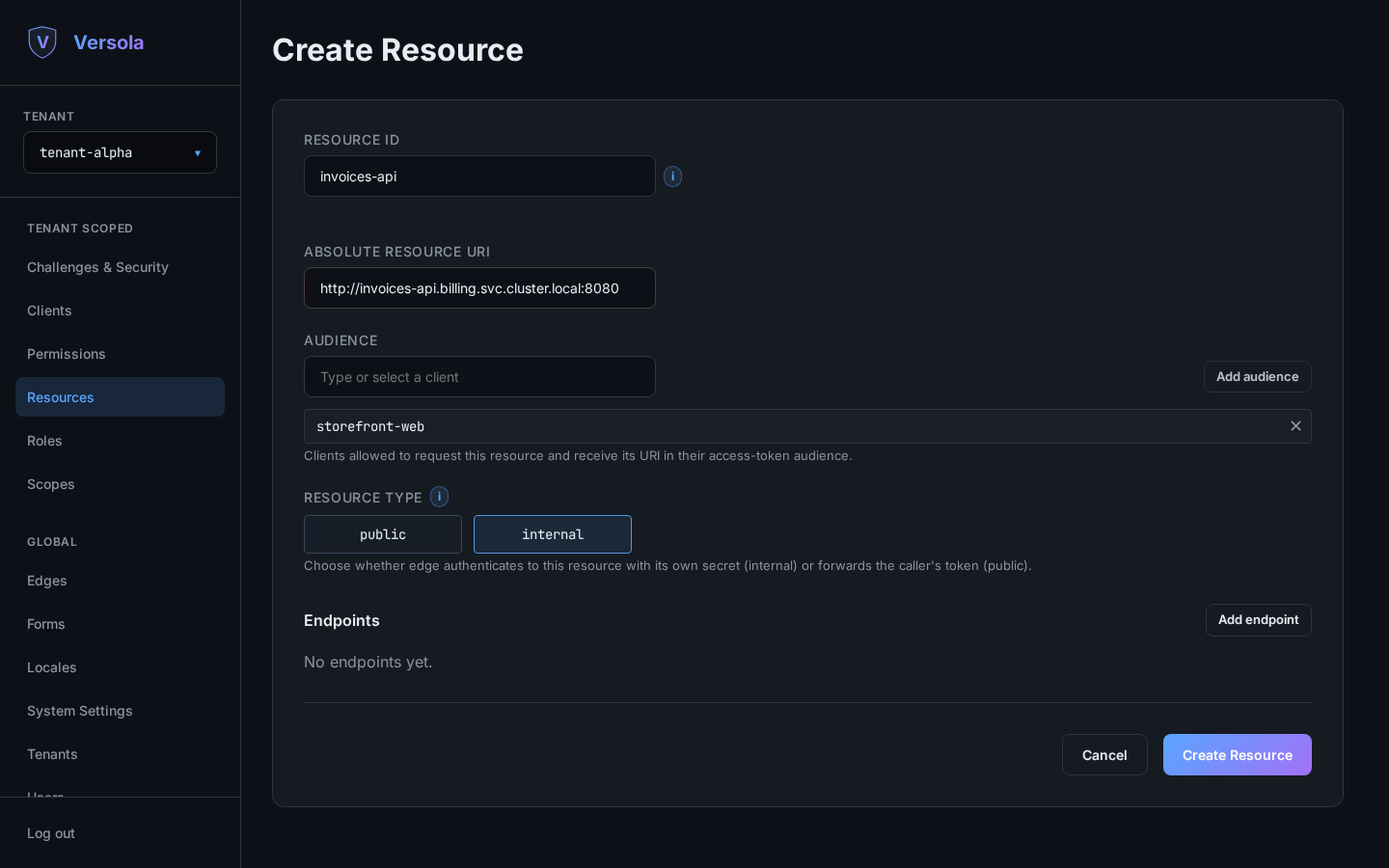
Resource type:
- Internal — Versola generates a secret and
edgeauthenticates upstream withAuthorization: Basic {resourceId}:{secret}. The caller’s own token never reaches the upstream API, which therefore needs no token validation of its own — which also means the upstream service must live in an internal zone with no direct access from the web;edgeis its only caller. Tokens issued for it carryresource://{resourceId}inaud, not the resource URI. This is the usual choice for services that live behindedge. - Public — no secret.
edgeruns the exact same checks — audience, roles/permissions, the endpoint’sallowexpression — but instead of its own Basic credentials it forwards the caller’s access token unchanged, and the upstream API is responsible for validating it itself. Tokens issued for it carry the resource’s own URI inaud.
4. Add endpoints
Press Add endpoint for each method + path pair you want to expose. An endpoint is the unit of authorization — everything enforced per request is configured here.
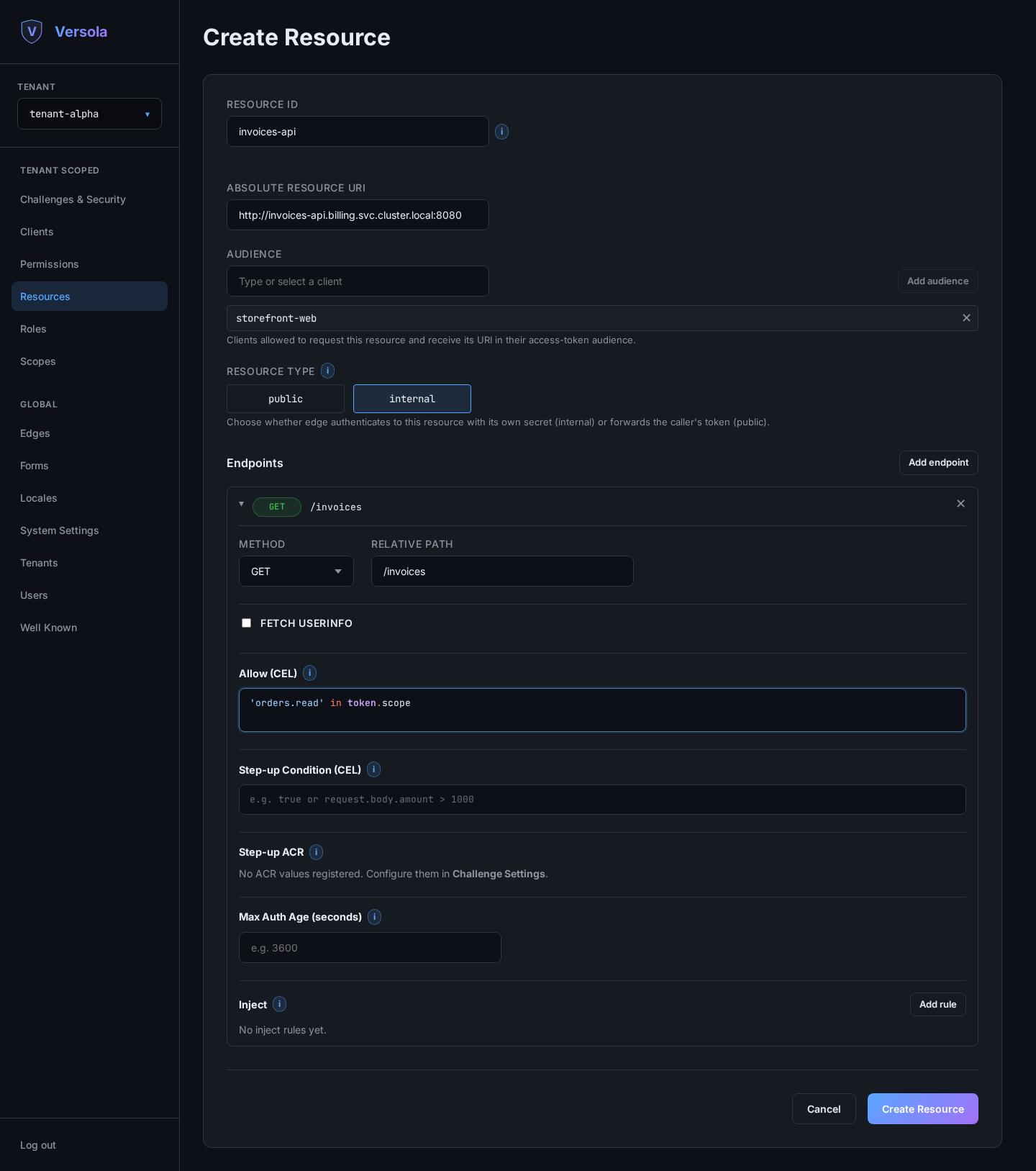
Method and relative path. The path is matched against the part of the request that
follows /resources/{resourceId}. Each segment is either literal — lowercase or uppercase
letters, digits and hyphens — or a {name} parameter that matches exactly one segment, as
in /tenants/{tenantId}/orders/{orderId}. Parameter names must be unique within the path,
and two endpoints of the same method may not differ only in their parameter names. A
literal endpoint always wins over a parameterized one, so /users/me keeps its own rules
next to /users/{userId}. Metrics and traces are labelled with the registered template,
never with the matched values.
Fetch userinfo. Enable it to load the resource owner’s claims from auth before
evaluating the rules. The claims become available to CEL as user. It costs an extra call
per request, so enable it only where an expression actually needs it.
Allow (CEL). A boolean expression that must return true for the call to be
authorized. Leaving it empty skips the check. Available roots:
| Root | Contents |
|---|---|
token | Claims of the validated access token — token.sub, token.scope, … |
user | Userinfo claims, only when Fetch userinfo is enabled |
request.path.params | Path parameters matched by the endpoint’s {name} segments |
request.query / request.queryAll | Query parameters, first value / all values |
request.headers / request.headersAll | Request headers, first value / all values |
request.body | Parsed JSON body, when the content type is application/json |
For example:
"read" in token.scope && user.department == "engineering"The console validates the expression before saving, so a syntax error or a non-boolean result blocks the save rather than failing at request time.
Step-up condition and ACR. When the step-up condition evaluates to true, the caller
must have reached the given assurance level; otherwise edge asks them to re-authenticate
(RFC 9470). Use it to protect the sensitive subset of an otherwise ordinary API.
Max auth age. Reject the call if the owner authenticated more than this many seconds ago, regardless of token validity.
Inject. Each rule writes a computed value into the upstream request — a header, a
query parameter, or a top-level field of the JSON body. The value is a CEL expression
over the same roots as Allow. Injected values overwrite anything the client supplied, so
this is the safe way to pass an authenticated identity upstream, for example a
x-user-id header holding token.sub.
5. Create and store the secret
Press Create Resource. For an internal resource, Versola generates its secret and shows it once.
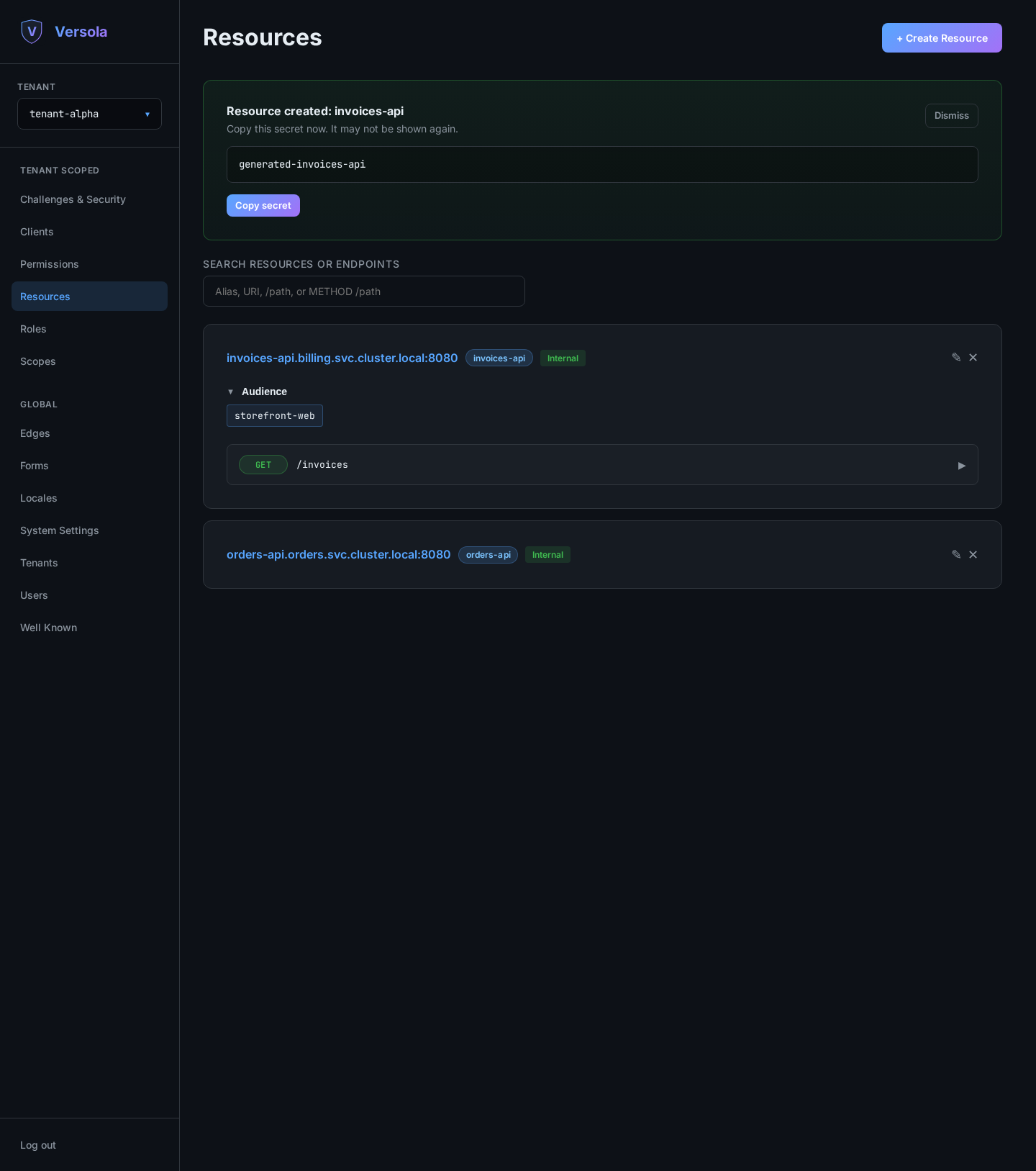
Configure the upstream service to accept HTTP Basic credentials with the resource ID as the username and this secret as the password.
6. Make the endpoints reachable
Registering an endpoint does not by itself grant anyone access. To complete the wiring:
- Create a Permission and attach the endpoints it should unlock.
- Attach that permission to a Role, and assign the role to users in this tenant —
or, for a
client_credentialsintegration, attach the permission directly to the client.
Until an endpoint is covered by a permission the caller holds, edge answers 403.
Rotating a resource secret
Open the resource for editing and press Rotate Secret. The new secret is shown once and
the previous one stays valid, with a Secret Rotation badge on the card. Configure the
upstream service to accept both the old and the new secret before doing anything else
— edge may still be using the old one while you deploy. Once the upstream is confirmed to
accept both, press Activate new secret: this removes the old secret from edge’s
configuration, and from that point the upstream should accept only the new one.